Optimizing Apache Iceberg on S3: Avoiding Costly Infrastructure Pitfalls
Optimizing Apache Iceberg on S3: Avoiding Costly Infrastructure Pitfalls
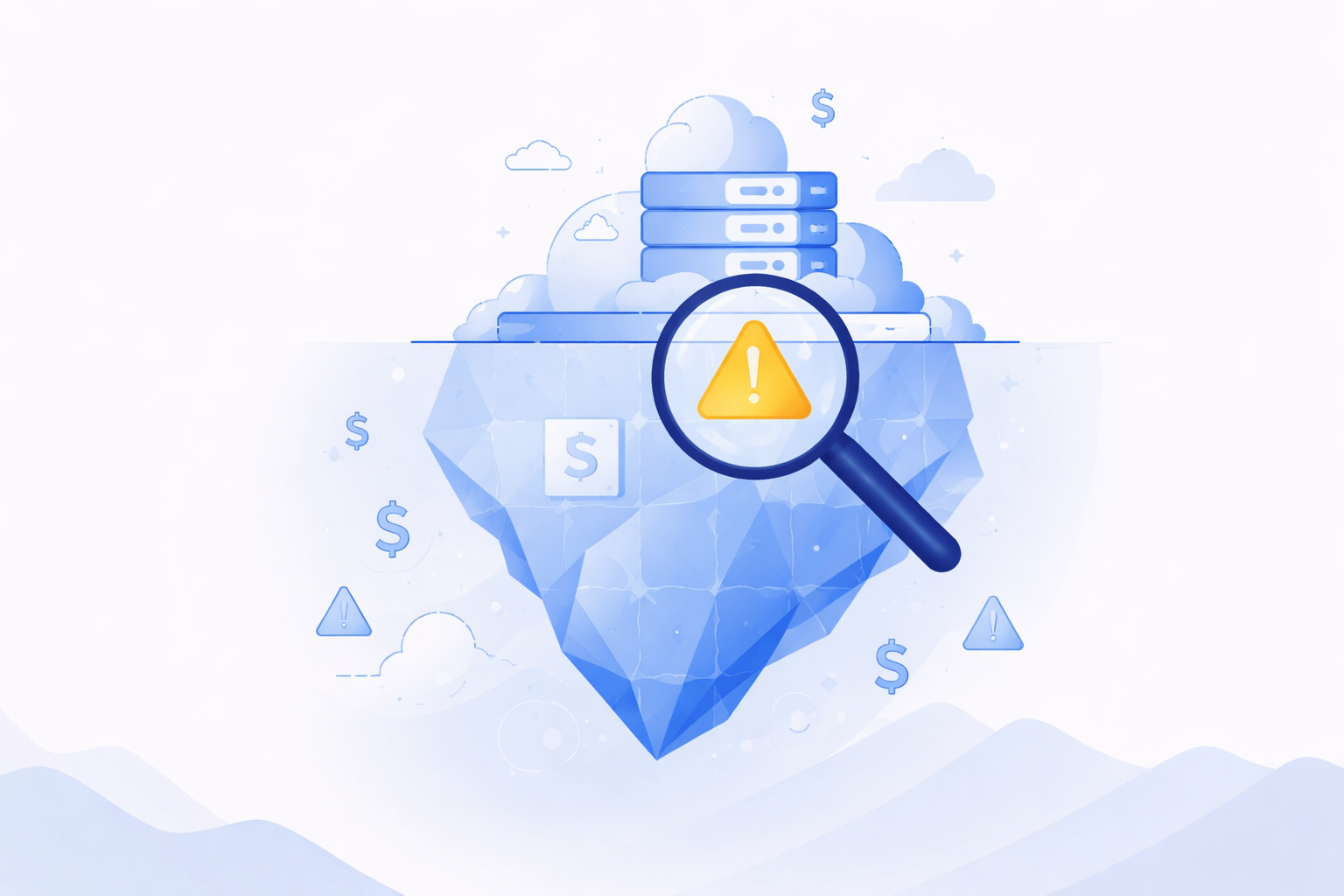
Apache Iceberg promises an elegant open table format — ACID transactions, time travel, schema evolution. But combine it with S3 and a few common missteps, and your AWS bill quietly doubles. These are the mistakes costing teams $10K–$100K/year unnecessarily, and exactly how to eliminate them.
Mistake #1: Never Running Snapshot Expiration
Cost Impact: 🔴 High
Iceberg's time travel feature stores every snapshot of your table. Every INSERT, UPDATE, DELETE, or MERGE creates a new snapshot and retains the old data files. Without expiration, these snapshots accumulate indefinitely — you're paying to store entire table histories you'll never query.
A table with hourly writes can silently accumulate 700+ snapshots per month. At scale, this translates to storing 10–50× more data than your "live" table actually contains.
The Fix
Run expire_snapshots regularly. Set a retention window (typically 3–7 days for operational tables) and automate the job via Spark or a managed service. Also run remove_orphan_files to catch any dangling data files that were never committed to a snapshot.
-- Spark SQL: expire snapshots older than 3 days
CALL catalog.system.expire_snapshots(
  table      => 'db.orders',
  older_than => TIMESTAMP '2026-03-21 00:00:00',
  retain_last => 5
);

-- Remove orphan files (safe after expiration)
CALL catalog.system.remove_orphan_files(
  table => 'db.orders'
);
Mistake #2: Ignoring Small File Accumulation
Cost Impact: 🔴 High
Streaming ingestion and frequent micro-batch writes create thousands of tiny Parquet files — some just a few KB. Each S3 GET request costs money regardless of file size. Reading a 1 GB partition split across 10,000 small files costs dramatically more in API charges than reading 10 well-sized 100 MB files.
The hidden multiplier: Iceberg metadata operations (manifest reads, planning) also scale with file count, making query planning slow and expensive as file counts balloon into the millions.
The Fix
Use Iceberg's rewrite_data_files procedure to compact small files into optimal sizes (128–256 MB for analytics workloads). Schedule this as a regular maintenance job — nightly for high-write tables. Target 1 file per partition per day as a reasonable heuristic.
-- Compact small files into 256MB targets
CALL catalog.system.rewrite_data_files(
  table   => 'db.events',
  options => map(
    'target-file-size-bytes', '268435456',
    'min-input-files', '5'
  )
);
Mistake #3: Wrong S3 Storage Class Selection
Cost Impact: 🟡 Medium
By default, everything in S3 lands in Standard storage — the most expensive tier at ~$0.023/GB/month. Iceberg data files have very predictable access patterns: recent partitions are queried frequently, historical partitions almost never. Yet most teams store all partitions identically forever.
A table with 5 TB of data where only 200 GB is "hot" wastes approximately 4.8 TB × $0.023 = ~$110/month on Standard storage unnecessarily.
The Fix
Configure S3 Intelligent-Tiering or explicit Lifecycle policies to transition old Iceberg data files to S3 Standard-IA (60 days) and Glacier Instant Retrieval (180+ days).
⚠️ Critical: Never transition the
metadata/prefix. Iceberg metadata must remain instantly accessible, or your table becomes effectively broken.
{
  "Filter": { "Prefix": "warehouse/db/table/data/" },
  "Transitions": [
    { "Days": 60,  "StorageClass": "STANDARD_IA" },
    { "Days": 180, "StorageClass": "GLACIER_IR"  }
  ]
}
Mistake #4: Bloated Metadata & Manifest Files
Cost Impact: 🟡 Medium
Every table operation writes new manifest files and updates the manifest list. Over time — especially with frequent small commits — you accumulate hundreds of manifest files per snapshot, each requiring an S3 GET during query planning. Planning a complex query on an unmaintained table can trigger thousands of S3 API calls just to build the query plan.
The metadata/ directory of a mature, unmaintained table can grow to hundreds of thousands of files and gigabytes of storage.
The Fix
Run rewrite_manifests to consolidate and optimize manifest files. This reduces both storage and API call costs at query planning time. Set write.metadata.delete-after-commit.enabled = true and limit retained metadata files via write.metadata.previous-versions-max.
-- Rewrite and compact manifest files
CALL catalog.system.rewrite_manifests('db.orders');

-- Table property: cap metadata file retention
ALTER TABLE db.orders SET TBLPROPERTIES (
  'write.metadata.previous-versions-max'       = '10',
  'write.metadata.delete-after-commit.enabled' = 'true'
);
Mistake #5: No Partition Pruning → Full Table Scans
Cost Impact: 🔴 High
Bad partitioning (or no partitioning at all) means every query scans all S3 objects in a table. Even with Parquet's columnar efficiency, each scanned file triggers S3 GET requests. A 10 TB events table with no partition pruning can incur thousands of dollars in S3 data transfer and API costs for queries that logically touch only a few GB.
A common variant: partitioning by a high-cardinality column like user_id creates millions of single-row partitions — the worst of both worlds (millions of tiny files AND massive partition metadata).
The Fix
Use Iceberg's hidden partitioning with transforms like days(event_time) or bucket(user_id, 256). Always filter on the partition column in your queries. Use EXPLAIN to verify partition pruning is actually happening before promoting a table to production.
-- Iceberg hidden partitioning: partition by date
CREATE TABLE db.events (
  event_id   BIGINT,
  user_id    BIGINT,
  event_time TIMESTAMP,
  payload    STRING
)
PARTITIONED BY (days(event_time));

-- This query now prunes to 1 partition, not all:
SELECT * FROM db.events
WHERE event_time >= '2026-03-24'
  AND event_time <  '2026-03-25';
Mistake #6: Skipping S3 Request Metrics & Cost Alerts
Cost Impact: 🔴 Silent Killer
The most insidious mistake: not measuring. Teams discover their Iceberg S3 costs are 5× what they expected only when the monthly invoice arrives. S3 request costs (PUT, GET, LIST) are completely invisible unless you enable S3 Storage Lens or request metrics — they don't appear in storage-only cost views.
A single misconfigured job doing full-table scans in a loop can silently cost $500/day in S3 API calls alone, with nothing in your default dashboards to catch it.
The Fix
Enable S3 Storage Lens with advanced metrics and S3 Request Metrics via CloudWatch. Create a billing alarm on BucketSizeBytes and NumberOfRequests. Break down costs by prefix using AWS Cost Allocation Tags to isolate Iceberg storage spending.
# AWS CLI: enable request metrics on your bucket
aws s3api put-bucket-metrics-configuration \
  --bucket my-iceberg-warehouse \
  --id IcebergRequestMetrics \
  --metrics-configuration '{"Id":"IcebergRequestMetrics"}'

# Then set a CloudWatch alarm on AllRequests > threshold
Quick Reference Summary
| Mistake | Root Cause | Cost Impact | Fix |
|---|---|---|---|
| No Snapshot Expiration | Infinite snapshot history | 🔴 High | expire_snapshots + remove_orphan_files |
| Small File Explosion | Micro-batch / streaming writes | 🔴 High | rewrite_data_files nightly |
| Wrong Storage Class | All data in S3 Standard | 🟡 Medium | S3 Lifecycle on data/ prefix |
| Manifest Bloat | Unbounded metadata growth | 🟡 Medium | rewrite_manifests + metadata limits |
| Full Table Scans | Missing / wrong partitioning | 🔴 High | Hidden partitioning with transforms |
| No Cost Visibility | No request metrics enabled | 🔴 Silent | S3 Storage Lens + CloudWatch alarms |
Build a Maintenance Runbook
None of these fixes are one-time tasks. The teams that keep Iceberg costs under control treat storage maintenance as a first-class engineering concern — automated, monitored, and reviewed quarterly.
A practical starting point:
Daily: rewrite_data_files on high-write tables
Daily: expire_snapshots with a 7-day retention window
Weekly: rewrite_manifests on all tables
Weekly: remove_orphan_files sweep
Monthly: Review S3 Storage Lens reports and adjust lifecycle policies
- Quarterly: Audit partition strategies against actual query patterns
Start with snapshot expiration — it's the single highest-ROI maintenance operation for most Iceberg deployments, and it takes less than an hour to automate.
Effortless Iceberg Table Optimization with Dataverses
Tired of manual maintenance and unpredictable S3 costs? Dataverses is a next-generation Data Platform-as-a-Service (DPaaS) that automates the hardest parts of Iceberg table management—so you can focus on insights, not infrastructure.
Why choose Dataverses for Apache Iceberg on S3?
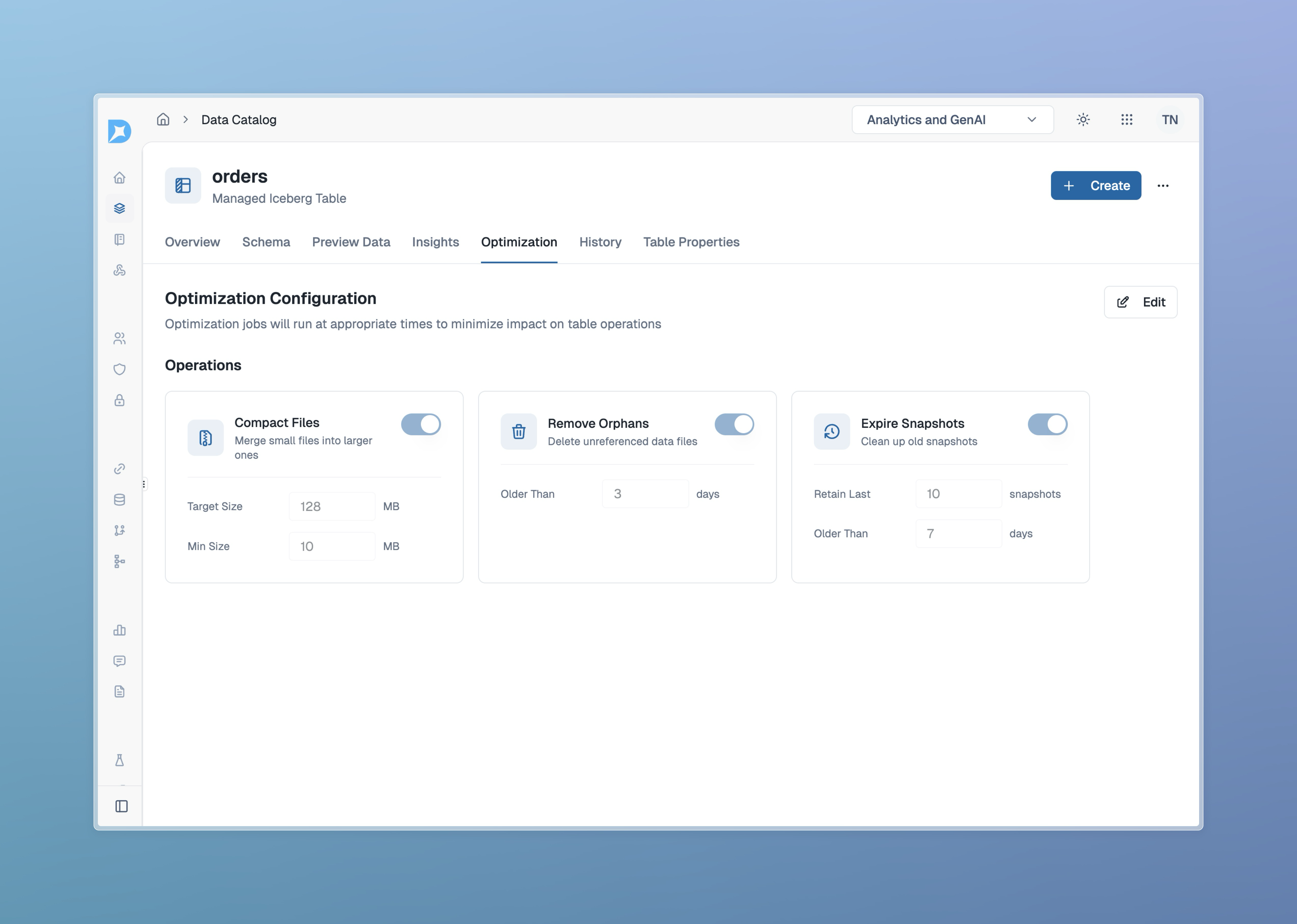
- Automatic Compaction: Dataverses continuously monitors and compacts your Iceberg tables, eliminating small file problems and keeping query performance high—no manual jobs or scripts required.
- Snapshot & Metadata Management: Expire snapshots, rewrite manifests, and remove orphan files automatically, with zero operational overhead.
- Cost Optimization: Built-in S3 lifecycle policies and monitoring help you control storage and API costs, with full visibility and alerts.
- No-Ops Experience: Dataverses abstracts away the complexity of data lakehouse maintenance, letting your team build and scale without worrying about the details.
Ready to stop firefighting and start innovating?
👉 Try Dataverses today and see how easy Iceberg table management can be!
Tags
Keep up with us
Get the latest updates on data engineering and AI delivered to your inbox.